Emergency Communication
RadioLLM integrates Large Language Models with Meshtastic mesh networks for communication in disaster zones and areas without connectivity.
Key Features
RadioLLM combines Meshtastic mesh networking with LLMs to create a powerful communication system that works without traditional infrastructure.
Bi-directional Communication
Seamless two-way communication between Meshtastic devices and LLMs, with support for targeted or broadcast messages.
Command Interface
Simple commands like /enable_llm and /disable_llm make it easy to control functionality in the field.
Message Chunking
Automatic chunking of long responses exceeding 200 characters ensures reliable message delivery.
Tool Execution
LLMs can execute tasks based on prompts, such as calling emergency services or retrieving sensor data.
Node Information
Access to device details like battery level, location, and last heard time for context-aware responses.
Customizable
Easily modify the LLM model, adjust chunk sizes, or add your own custom tools to fit specific needs.
Mesh Network in Action
See how RadioLLM devices communicate in a mesh network, sharing messages and data without central infrastructure. Click on nodes to disable/enable them and watch how messages find alternative routes.
Resilient Communication
Messages hop between devices to reach their destination, even when direct connections aren't possible.
No Central Infrastructure
The network functions without cell towers or internet, making it ideal for disaster scenarios.
Self-Healing Network
If a node goes offline, the network automatically reroutes through available connections.
How It Works
RadioLLM operates like a Discord chat bot over Meshtastic mesh networks, processing messages and generating responses using LLMs.
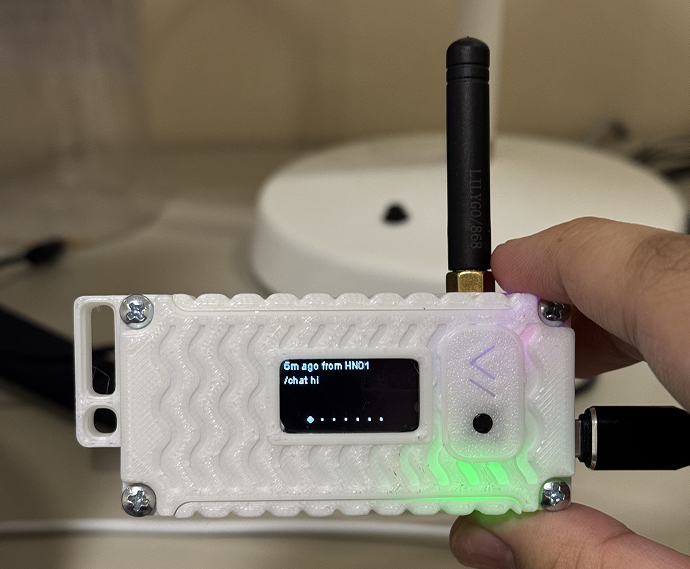
Receiving Messages
The script listens for incoming messages on the Meshtastic network and triggers the LLM to generate a response.
Generating Responses
The chat_with_llm function interacts with the LLM using the ollama library, generating concise responses.
Sending Responses
Responses are sent back to the sender or broadcasted to the network, with automatic message chunking.
Tool Execution
When prompted, the LLM can execute tools like calling emergency services or retrieving sensor information.
Use Cases
RadioLLM provides critical communication in scenarios where traditional infrastructure fails.

Emergency Response
- Coordinate rescue efforts with AI assistance
- Triage situations without internet access
- Automate emergency calls when connectivity returns

Outdoor Adventure
- Stay connected in remote areas without cell service
- Get AI-powered first aid guidance for injuries
- Share location data between group members

Remote Communities
- Create local networks without expensive infrastructure
- Access AI-powered educational and medical resources
- Connect to broader networks through gateway nodes
Get Started
Follow these steps to set up your own RadioLLM instance and start communicating over Meshtastic networks.
1Requirements
- Meshtastic-compatible device
- Computer or Raspberry Pi
- Python environment
- Ollama or other LLM provider
2Installation
# Clone the repository
git clone https://github.com/pham-tuan-binh/radio-llm.git
# Install dependencies
pip install -r requirements.txt
# Configure your settings
nano config.yaml
3Basic Commands
LLM Chat Features
/enable_llm
/disable_llm
Echo Testing
/enable_echo
/disable_echo